Introduction
Safari 26.3 arrives with a suite of practical enhancements aimed at improving both performance and user experience. This release equips developers with tools to optimize content delivery, gain finer control over single-page application navigation, and delivers a more polished everyday browsing experience. Below, we explore the key features and fixes in this update.
Zstandard Compression: Faster Data Delivery
Safari 26.3 now supports Zstandard (Zstd), a modern compression algorithm that can significantly reduce the size of web assets. Like gzip and Brotli, Zstd is ideal for compressing text-based resources such as HTML, CSS, JavaScript, JSON, and SVG. By shrinking file sizes before they traverse the network, Zstd helps pages load faster and consume less bandwidth.
One of Zstd's standout advantages is its decompression speed. It decodes content quickly, lightening the processing load on users' devices. Additionally, Zstd compresses fast enough to be used on-the-fly at the server, whereas Brotli is typically pre-compressed during the build process. This makes Zstd particularly attractive for dynamic content where pre-compression is impractical.
To enable Zstd, configure your web server to compress responses with Zstd and send the appropriate Content-Encoding: zstd header. Browsers that do not support Zstd will automatically fall back to other compression methods supported by the server, ensuring broad compatibility.
Note that Zstd support in Safari 26.3 is available on iOS 26.3, iPadOS 26.3, visionOS 26.3, and macOS Tahoe 26.3 — but not on earlier versions of macOS. This is because the feature relies on the system networking stack.
Video in visionOS: Immersive Fullscreen Experience
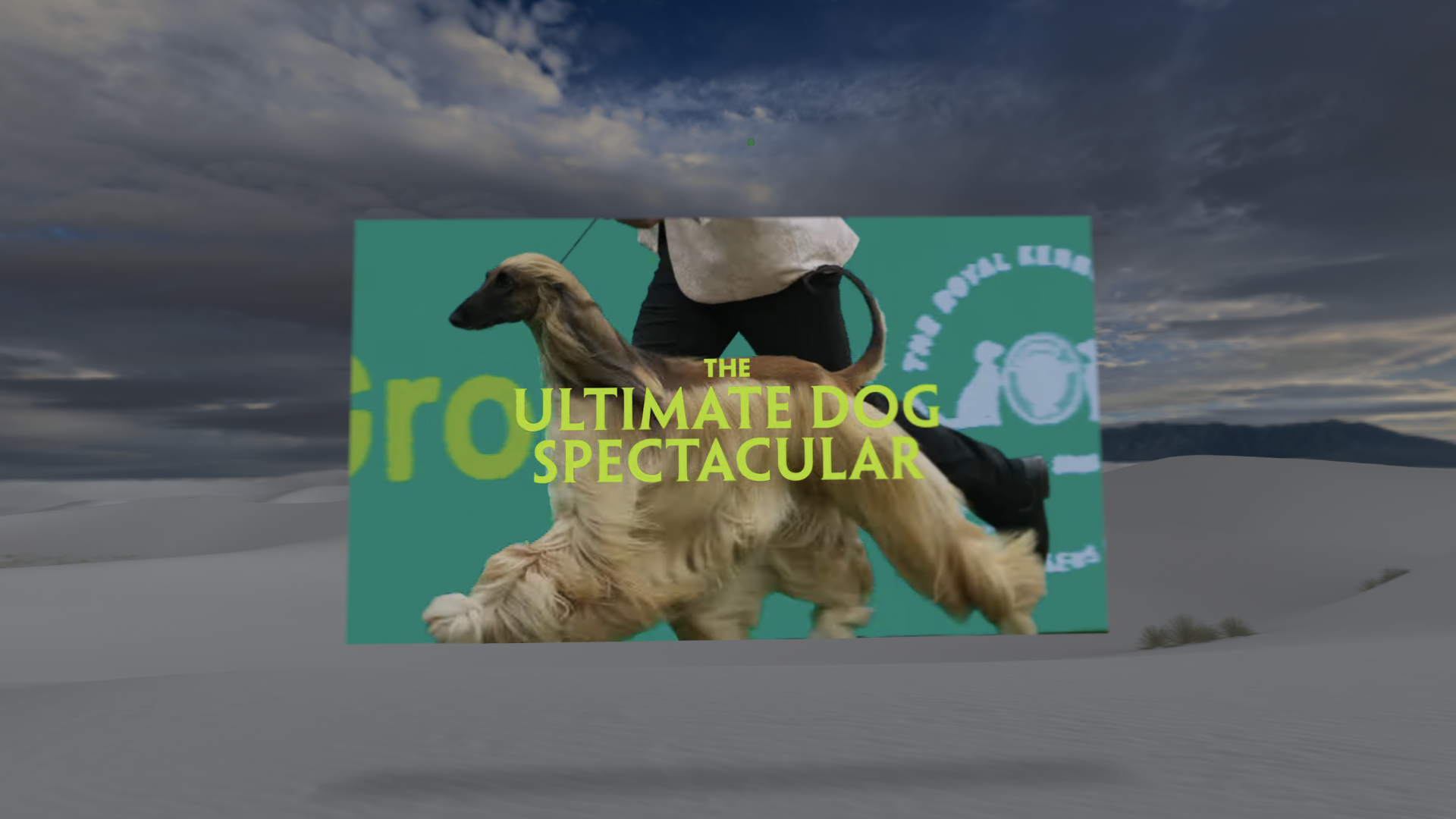
In Safari 26.3 for visionOS, watching videos in fullscreen mode becomes more immersive. When a user plays a video — for example, a YouTube trailer for Top Dogs — and enters fullscreen, the system automatically dims the surroundings. This subtle effect helps focus attention on the video content, reducing visual distractions from the virtual environment. It's a small but meaningful improvement for the spatial computing experience.
Navigation API: AbortSignal for Reliable Navigation
For developers building single-page applications with the Navigation API, Safari 26.3 introduces a powerful new capability: an AbortSignal on the NavigateEvent. This signal activates when a navigation is interrupted — for example, if a user clicks another link before the previous request completes, presses the back button, or your code calls navigation.navigate() again. Instead of discarding incomplete work manually, you can now listen to this signal to cleanly cancel ongoing operations.
Here's a practical example using the event.signal within a fetch call:
navigation.addEventListener('navigate', (event) => {
  event.intercept({
    async handler() {
      const response = await fetch('/api/data', {
        signal: event.signal  // Automatically cancels if navigation is aborted
      });

      const data = await response.json();
      renderContent(data);
    }
  });
});
If the user navigates away before the fetch completes, the request is automatically aborted. You can also attach listeners to the signal's abort event to clean up other resources — like timers, animations, or WebSocket connections — helping you avoid memory leaks and unnecessary processing.
This level of control ensures that your application remains responsive and efficient, even under rapid navigation changes.
Other Improvements and Bug Fixes
Beyond these headline features, Safari 26.3 addresses several issues reported by developers. Fixes have been applied to anchor positioning and multi-column layouts, making these CSS features more robust across various use cases. Additionally, the everyday browsing experience has been refined by resolving inconsistencies found during testing on real-world websites. These under-the-hood improvements contribute to a smoother, more reliable Safari for everyone.
For a complete list of changes, refer to the official WebKit release notes.